

Internal linking is one of the most underused SEO tactics. Unlike backlinks, you have complete control over your internal links. Screaming Frog SEO Spider provides several methods to audit your existing internal links and find new linking opportunities.
This guide covers the main techniques: finding poorly linked pages, identifying deeply buried content, using Custom Search to find linking opportunities, and auditing your anchor text.
Why Internal Linking Matters for SEO
Internal links serve three main purposes:
- Distribute link equity (PageRank) – Links pass authority from one page to another. Pages with more internal links pointing to them tend to rank better.
- Help search engines discover content – Google follows links to find and index pages. Poorly linked pages may not get crawled frequently.
- Establish topical relevance – Linking related content together signals to Google that these pages belong to the same topic cluster.
A page buried deep in your site structure with few internal links is unlikely to rank well, even if the content is excellent. Screaming Frog helps you identify and fix these issues.
Method 1: Find Poorly Linked Pages
Pages with few internal links pointing to them are missing out on link equity and may struggle to rank. Here’s how to find them:
- Run a full crawl of your website in Screaming Frog.
- Go to the Internal tab.
- Click the Unique Inlinks column header to sort by ascending order.
- Filter to show only HTML pages (exclude images, CSS, JS).
Pages with only 1-2 unique inlinks are candidates for more internal links. Cross-reference this with your important pages – if a key landing page has few internal links, prioritise adding more.
Method 2: Find Deeply Buried Pages (Crawl Depth)
Crawl depth measures how many clicks it takes to reach a page from your homepage. Pages more than 3-4 clicks deep often get less crawl attention and link equity.
- After crawling your site, go to the Internal tab.
- Look at the Crawl Depth column.
- Sort by descending to find your deepest pages.
- Consider adding links to important pages that are buried too deep.
Ideally, your most important pages should be reachable within 3 clicks from the homepage. If key content is buried at depth 5 or 6, add internal links from higher-level pages to bring them closer to the surface.
Method 3: Find Orphan Pages
Orphan pages have no internal links pointing to them at all. They can only be found via sitemap or direct URL – Google may not discover them through normal crawling.
- Go to Mode > Spider and configure your crawl.
- Under Configuration > Spider > Crawl, enable “Crawl Linked XML Sitemaps”.
- Run your crawl.
- After completion, check the Sitemaps tab and look for “Orphan URLs”.
These pages exist in your sitemap but have zero internal links. Either add internal links to them or remove them from your sitemap if they’re no longer needed.
Method 4: Custom Search for Linking Opportunities
This is the most powerful method for finding specific internal linking opportunities. Custom Search lets you find pages that mention a keyword but don’t link to the relevant page.
- Go to Configuration > Custom > Search.
- Click Add to create a new search.
- Enter the keyword or phrase you want to find (e.g., “internal linking”).
- Set the search to look in Page Text or HTML.
- Label it descriptively (e.g., “Mentions internal linking”).
- Run your crawl.
- Check the Custom Search tab to see matching pages.
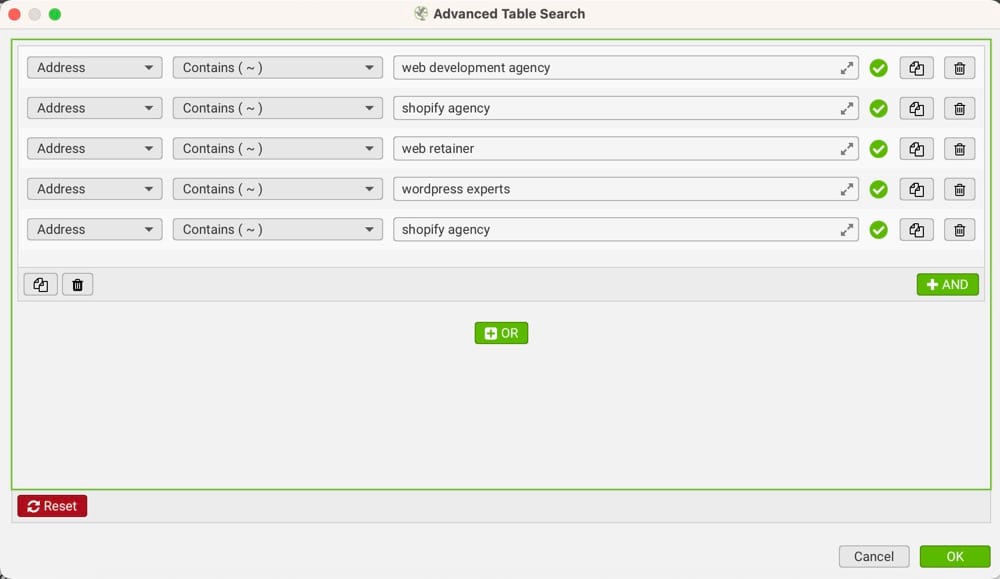
Each page in the results mentions your target keyword. Review these pages and add a contextual link to your target page where it makes sense.
Refining Your Custom Search
To make Custom Search more useful:
- Exclude pages that already link to the target – Use the “Does Not Contain” option to filter out pages that already have your target URL.
- Search multiple keyword variations – Add searches for synonyms and related phrases.
- Use regex for flexible matching – Match word variations with patterns like “link(ing|s)?”.
- Limit to content areas – Under Configuration > Content, you can specify CSS selectors to only search within main content areas, excluding headers, footers, and sidebars.
Method 5: N-Gram Analysis
N-grams are sequences of words that appear frequently across your site. Screaming Frog can extract these automatically, helping you identify common phrases that could become internal linking opportunities.
- After crawling, go to Configuration > Content > Area and specify your main content selector (e.g., “article” or “.post-content”).
- Re-crawl your site.
- Go to Internal tab, right-click any URL, and select Extract N-grams.
- Choose the N-gram size (2-grams, 3-grams, etc.) and minimum occurrence threshold.
The resulting list shows commonly repeated phrases. If a phrase appears on many pages, you likely have a relevant page to link to. Use Custom Search to find those mentions and add links.
Method 6: Audit Non-Descriptive Anchor Text
Generic anchor text like “click here” or “read more” wastes an opportunity to signal relevance to search engines. Screaming Frog can find these.
- Run your crawl.
- Go to Bulk Export > Links > All Anchor Text.
- Open the exported file and filter for generic terms: “click here”, “read more”, “learn more”, “this page”, etc.
- Update these links to use descriptive anchor text that includes relevant keywords.
Descriptive anchor text helps Google understand what the linked page is about. Instead of “click here to learn about SEO”, use “learn about SEO best practices”.
Prioritising Internal Linking Opportunities
Not all internal linking opportunities are equal. Prioritise based on:
- Page importance – Focus on pages you want to rank. Check Google Search Console for pages with impressions but low clicks – these might benefit from more internal link equity.
- Source page authority – Links from high-traffic pages pass more value. Connect Screaming Frog to Google Analytics or Search Console to identify your strongest pages.
- Topical relevance – Links between related content are more valuable than random connections.
- User value – The best internal links genuinely help visitors find related content they’ll want to read.
Connecting Screaming Frog to Google APIs
For more advanced prioritisation, connect Screaming Frog to Google Search Console and Google Analytics:
- Go to Configuration > API Access.
- Connect your Google Search Console account.
- Connect Google Analytics (GA4).
- Re-crawl your site.
Now you can see impressions, clicks, and traffic data alongside crawl data. Sort by impressions to find pages that Google shows in search results – these are worth boosting with more internal links.
🌊 You won’t get lost in the data from your website. We’ll explain what your data means and how to use it to get more visitors and sales. Get a quote →
Summary
Screaming Frog provides several ways to improve internal linking:
- Unique Inlinks – Find pages with too few internal links.
- Crawl Depth – Identify buried pages that need to be brought closer to the homepage.
- Orphan Pages – Find pages with zero internal links.
- Custom Search – Find pages mentioning keywords that could link to relevant content.
- N-Grams – Discover common phrases across your site for linking opportunities.
- Anchor Text Audit – Replace generic anchor text with descriptive keywords.
Start with the methods that match your site’s needs. If you have important pages buried deep in your site, focus on crawl depth first. If you’re building content clusters, Custom Search and N-grams will be most valuable.
Author

