

Many Shopify store owners want to offer free shipping on certain products without making all their products free to ship. Maybe you have high-margin items, promotional products, or you want to boost sales of specific items. The good news is that setting up product-specific free shipping is much easier than you might think.
Shopify has built-in tools that let you create different shipping rules for different products. In this guide, we’ll show you five simple ways to add free shipping to only the products you choose.
5 ways to add free shipping to specific products
Using shipping profiles
This is the simplest way because it uses Shopify’s built-in features. No apps or monthly fees required.
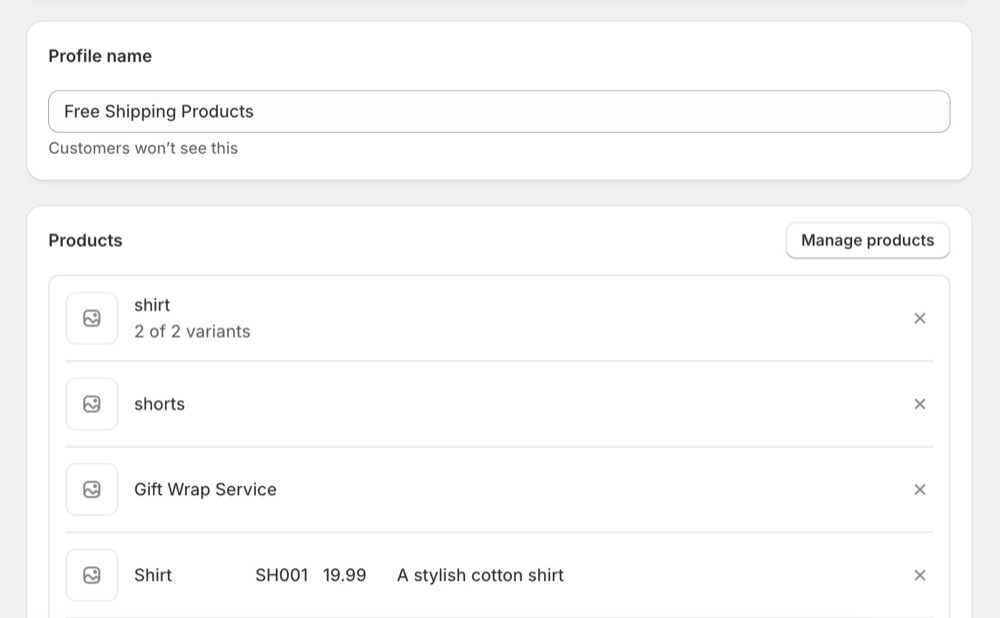
First, you need to create a new shipping profile in Settings → Shipping and delivery. You can name it “Free Shipping Products”.

Then add the specific products:
- In the new profile, click Add products
- Select the products you want to offer free shipping for
- Save the changes
In your new shipping profile, you need to create a Shipping zone first by selecting the region / area where you want to apply the free shipping.
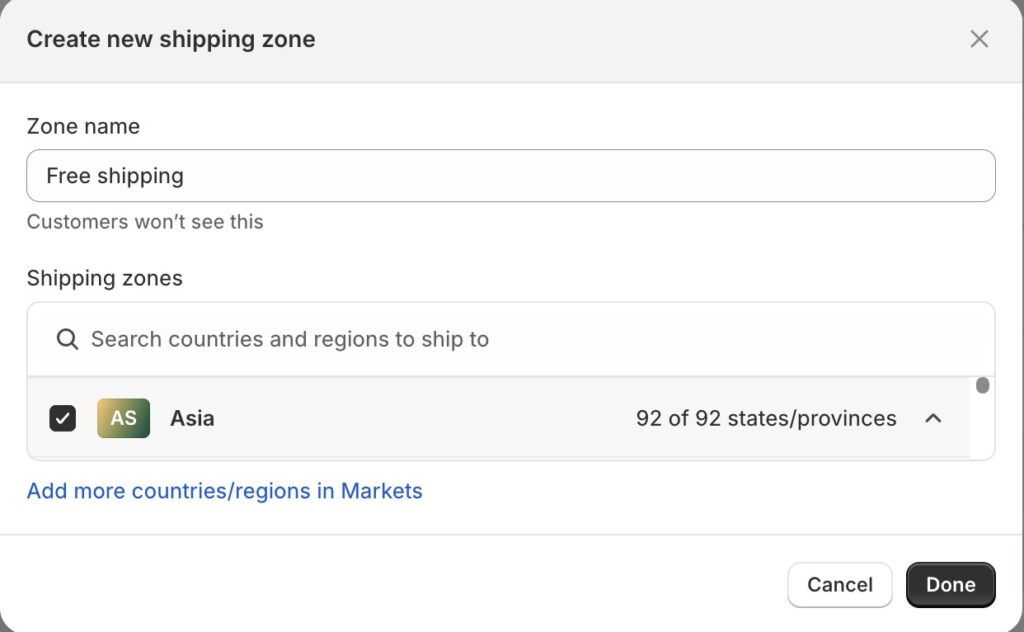
After that, add a rate for these areas and set the price to $0.00

That’s it! Those products will now have free shipping, while other products use your regular shipping rates.
Using product tags and apps
If you want more control over when free shipping applies, you can use product tags combined with a shipping app.
Step 1: Tag your products
- Go to Products in your admin
- Edit each product you want free shipping for
- Add a tag like “free-shipping” in the Tags section
- Save each product
Step 2: Install a free shipping app Search the Shopify App Store for apps like:
These apps can automatically apply free shipping based on product tags.
Using discount code
This method requires customers to enter a code, but it gives you complete control.
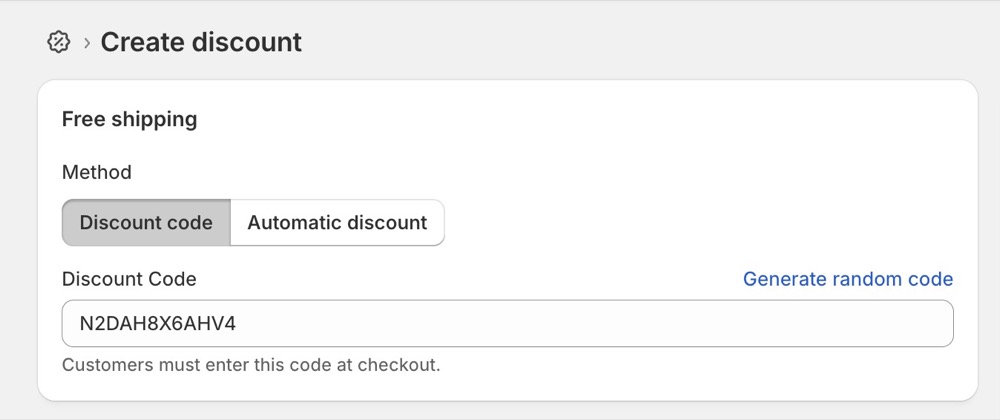
- Go to Create discount → Free shipping
- Generate a free code or type the code manually
- Set it to apply to Specific custom segments
So whenever customers in custom segments purchase the product, they can type the discount code and enjoy free shipping.
Set minimum order amount
This works well if you want to encourage larger orders of your specific products.
Simple free shipping threshold:
- Go to Settings → Shipping and delivery
- Edit your shipping rates
- Add a condition: “Free shipping on orders over $X”
- Customers automatically get free shipping when they buy enough of your specific products
Using collections
This method helps you organize products and manage shipping more easily.
Group products for easy management:
- Create a Collection for products with free shipping
- Go to Products → Collections → Create collection
- Add your free shipping products to this collection
- Use Method 1 (shipping profiles) but select the entire collection instead of individual products
Which method should you choose?
For most store owners, we recommend Method 1 (shipping profiles) because it’s:
- Built into Shopify (no extra apps needed)
- Easy to set up (takes 5-10 minutes)
- Easy to manage and update
- Works automatically
- No monthly app fees
The shipping profile method is what most successful Shopify stores use because it’s simple and reliable.
Conclusion
Adding free shipping to specific products doesn’t have to be complicated. Whether you choose shipping profiles, discount codes, or apps, you can set up product-specific free shipping in just a few minutes.
Start with the shipping profile method since it’s free and built into Shopify. You can always try other methods later if you need more advanced features. Remember to test your setup with a small order first to make sure everything works correctly.
Free shipping on select products can help increase your sales and make certain items more attractive to customers. Choose the method that fits your store’s needs and start offering free shipping today.
For more articles about Shopify, check out Shopify blog category.
Author

