

If you want to make your own plugin for internal team or personal use, you can now quickly create a plugin for WordPress with Claude.
Visit Claude Code to get started.
Let me share with you how to do it.
How to Create a Simple Plugin in WordPress via Claude Code
Step 1: Create a GitHub Repository
First, you need to create a GitHub repository for your plugin.
Go to GitHub → click “New” → name your repository

Step 2: Connect to Claude Code
After that, go to Claude Code and select the repository of your plugin.
Step 3: Tell Claude What to Build
Now, in the “Ask Claude to write code” chat, simply input what you want to create.
You can actually use AI to organise your ideas into a developer guide and send it to Claude Code.
After that, Claude Code will start creating your plugin. It’s going to take a while.
Once everything is finished, your GitHub repository will be updated, and there you go—your plugin is done!

How to Install Your Own Plugin in WordPress
There are two options:
Option 1: Use a Deployment Plugin
Use a plugin that connects and deploys from GitHub. You can choose WP Pusher or Deployer for Git.
Basically, you fill out the plugin repository URL, edit some settings, and then deploy the package to your WordPress site. After it’s uploaded, activate it and you’re ready to try it on WordPress.

Option 2: Download and Upload Manually
First, go to your plugin’s GitHub repository and find the green <> Code button. Click it and a dropdown will appear. You’ll find the “Download ZIP” option at the bottom.
After downloading the file, go to Plugins → Add New → Upload Plugin. Boom! You now have your new plugin uploaded. Just activate it and start using it.
What You Need to Be Careful About
So that’s it—that’s how you can create plugins for your WordPress site. It’s very simple for WordPress owners or anyone who’s in charge of their site to make one.
But here’s an important question: If it’s that easy, do you still need a developer for WordPress?
Of course you do. Why? Because there are some limitations when creating plugins via Claude Code:
- It can break your site – So do it on a staging or testing site first
- For non-developers, stick to simple tasks – For example, I created a plugin that analyses a page/post (SEO Analyser), then extracts a report. Or a plugin that scans, finds, and suggests pages that have no internal linking. Simple tasks like these. It’s going to be much harder if you want an advanced plugin—that’s a developer’s job
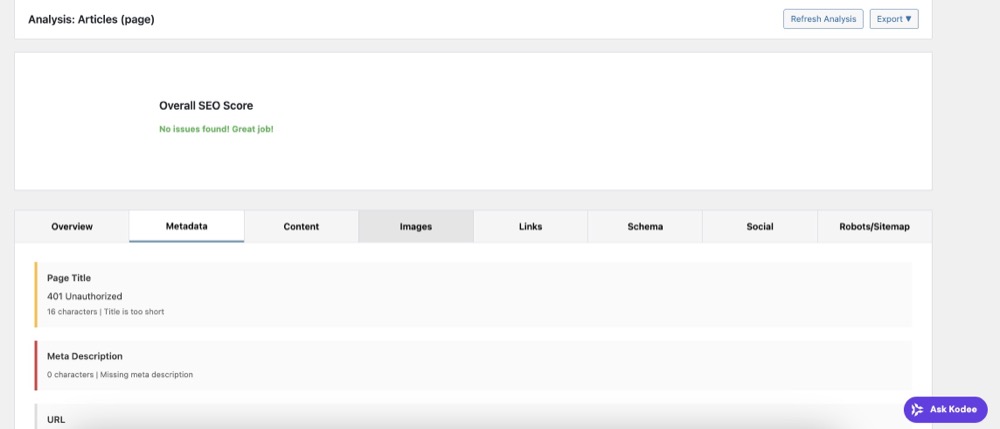
(SEO Plug plugin on testing site)
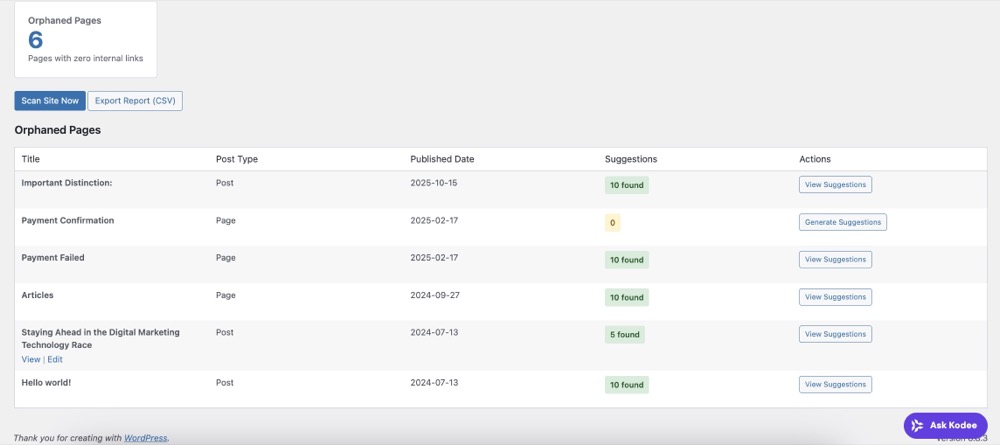
(InternalLinking Manager plugin on testing site)
- Sometimes the plugin can go wrong – It might do something out of control
- Security issues – These should definitely be considered
Try Claude Code Now
Anyway, this is just a cool thing we wanted to share with WordPress owners and their teams. Why not turn yourself into an amateur vibe coder and learn good things about WordPress plugins?
Author

