
One common challenge shop owners face is adjusting background images for mobile devices. That’s not a hard work after reading this guide from Kahunam.
Instruction to resize background images for mobile
You will start by accessing your Theme editor.
- Go to Shopify admin
- Click on ‘Online Store’, then ‘Themes’
- Find your current theme and click ‘Customize’
Now, let’s find that troublesome image:
- Navigate through your theme sections until you find the one with your background image
- Look for options specifically related to image size or layout for mobile devices
This is where you can really fine-tune your mobile appearance:
- Search for settings like ‘Mobile content alignment’ or ‘Stack images on mobile’
- You might also find options to set specific image heights or widths for mobile
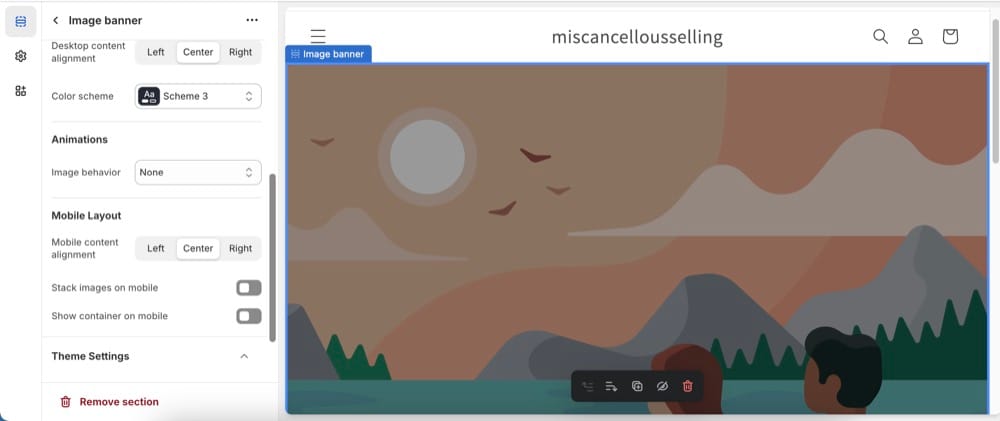
Once you’re happy with how your background image looks on mobile, hit that ‘Save’ button to apply your changes.
What if the theme lack mobile options?
If you’ve searched high and low but can’t find mobile-specific settings, you might need to use custom CSS. However, if you’re not comfortable with coding, it might be worth reaching out to a Shopify expert for help.
Author